History and suggestions
In plain words
Section titled “In plain words”History keeps the commands you ran in your terminals, the host each ran on and when, so you can search them, run one again, or save it as a snippet. While you type, ZestSSH can show the rest of a command you ran before, dimmed after the cursor; Right arrow takes it.
History and suggestions need Squeezed. Recording is off until you turn it on, on each device, and passwords are never kept.
Set it up
Section titled “Set it up”On a computer
Section titled “On a computer”-
Open History in the side rail, under Utilities. Where it says “Recording is off. New commands are not saved.”, choose Turn on.
-
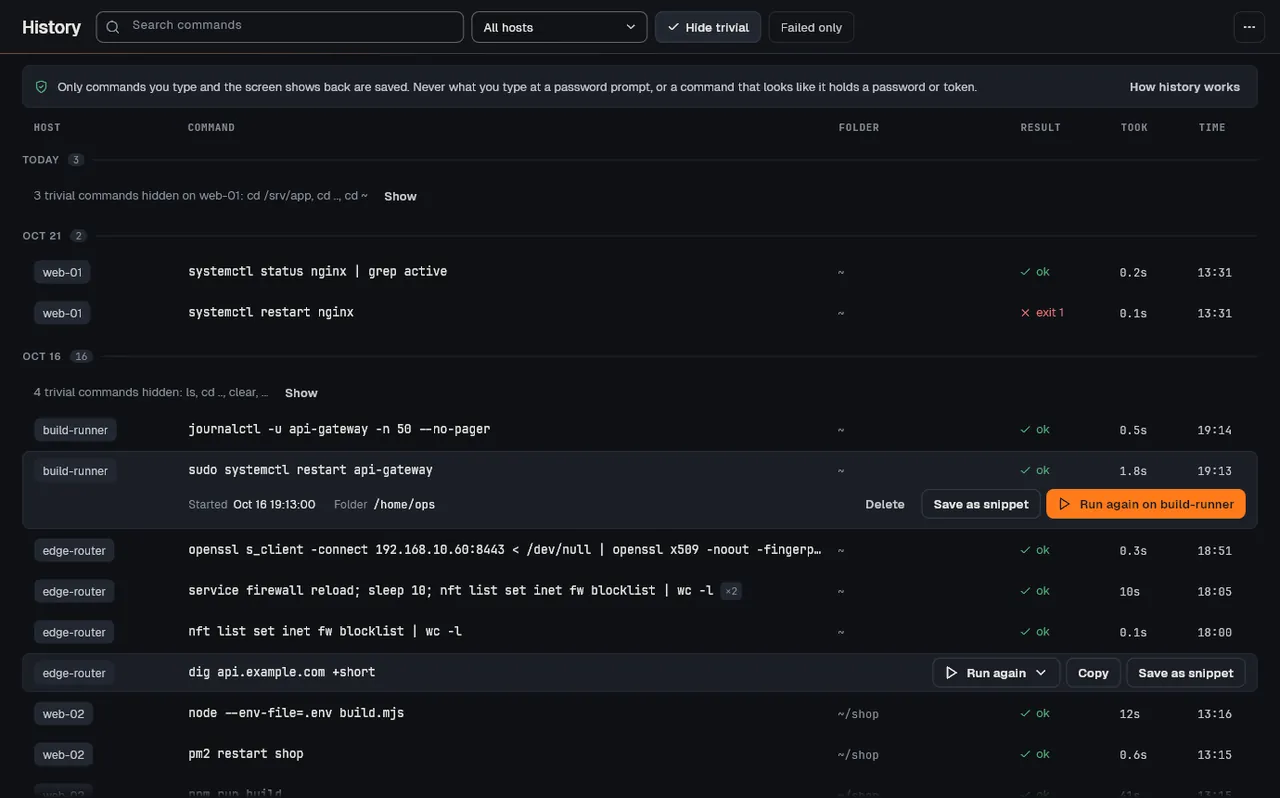
Run commands as usual. The page lists them by day, newest first, with Host, Command, Folder, Result, Took and Time.
-
Narrow the list with Search commands, the All hosts picker, Hide trivial and Failed only.
-
Point at a row for Run again, Copy and Save as snippet. Run again offers the host it ran on, or Run on… for another.
-
In a terminal, type the start of a command (two characters or more). If a matching command appears dimmed, press Right arrow to take it, then Enter to run it.
On a phone or tablet
Section titled “On a phone or tablet”-
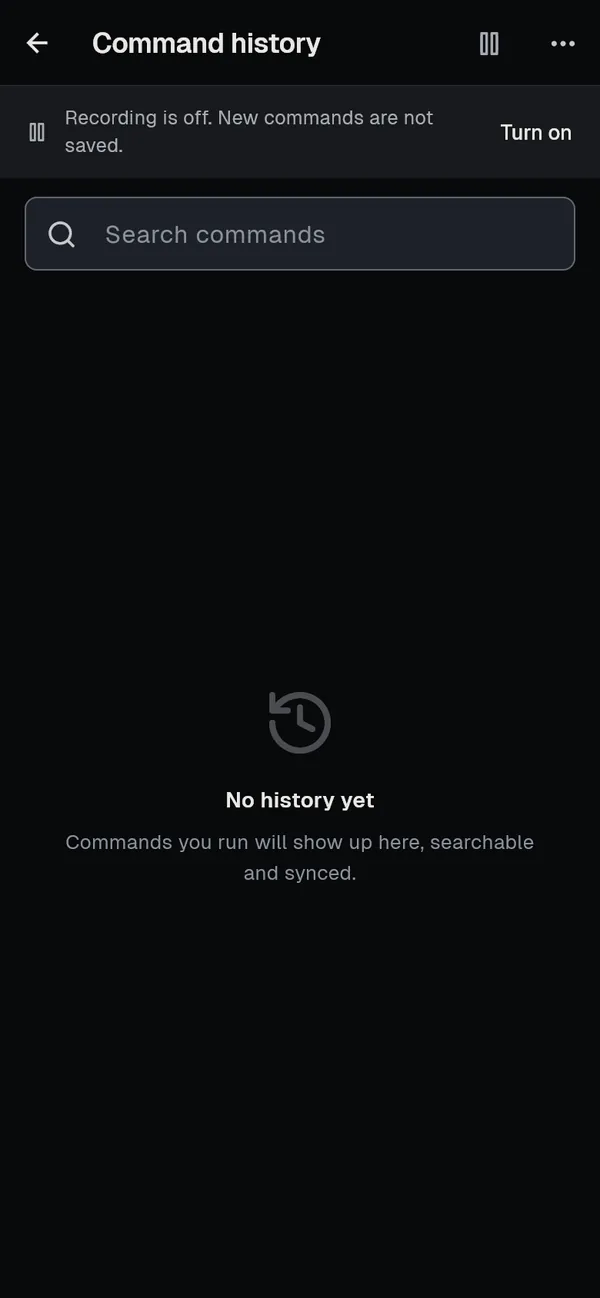
Open More, then History, and tap Turn on.
-
Search with Search commands; tap a command to use it, or its trash icon to delete it.
-
In a terminal, take a suggestion with → on the keys row above the keyboard.
Turn things off or clear them
Section titled “Turn things off or clear them”- Suggestions: open the page’s menu (More actions on a computer, … on a phone) and untick Suggest as you type (Right arrow takes it). Your history stays.
- Recording: choose Recording on in the same menu on a computer (it then reads Recording off), or tap the record button at the top on a phone.
- Everything: choose Clear all in the menu and confirm Clear command history. This also removes the commands from your other devices on the next sync.
How it works
Section titled “How it works”- What is recorded. Each command you typed and the screen echoed back, the host and the time, plus the exit status, how long it ran and its folder where the host’s shell reports them (OSC 133 and OSC 7, sent by tools such as starship). Nothing typed at a prompt that hides it is ever kept, and commands that look like they carry a secret, such as
mysql -psecretorexport TOKEN=..., are left out unless you turn on Save secret-bearing commands. The newest 2,000 commands are kept. See History suggestions. - How a suggestion is chosen. The newest command of one line that starts with exactly what you typed (capital letters count), from the same space (personal or that team) and from the host in front of you first. It is drawn over the screen only: it is not in the terminal’s text or scrollback, and nothing of it reaches the server until you take it.
- When none is offered. At a password prompt, in full-screen programs such as
vimortop, after arrow keys or the shell’s own history until the next Enter, in tmux control mode, and while Recording mode is on. - What is stored where. History is in the app’s encrypted database. With sync on, the commands and their times sync end to end encrypted to your other devices; exit status, run time and folder stay on the device. Run again sends the command exactly as written and still goes through Dangerous command protection.
If something goes wrong
Section titled “If something goes wrong”- Nothing is recorded. Recording is off on this device: choose Turn on. Without Squeezed the page says “Command history is a Squeezed feature”.
- No suggestion appears. Check Suggest as you type (Right arrow takes it) is ticked, that you typed at least two characters at a normal shell prompt, and that Recording mode is off.
- Folder, Result and Took are empty. The host’s shell does not report them. Shell integration such as starship adds them.
- A command with a password in it was saved. Delete it from its row, and turn Save secret-bearing commands off.