Port forwarding
In plain words
Section titled “In plain words”A port forward is a tunnel through your SSH connection. The usual one (Local) makes a service that only the server can reach, such as a database or an admin web page, show up on your own device at localhost. A Remote forward does the reverse: it lets the server reach a service on your device. A SOCKS5 forward lets your browser or other apps send their traffic through the server, like a small VPN.
If you are not sure which one you need, it is Local. Port forwarding is free on every plan.
Set it up
Section titled “Set it up”On a computer
Section titled “On a computer”-
Open Port forwarding in the side rail, under Manage, and press New rule.
-
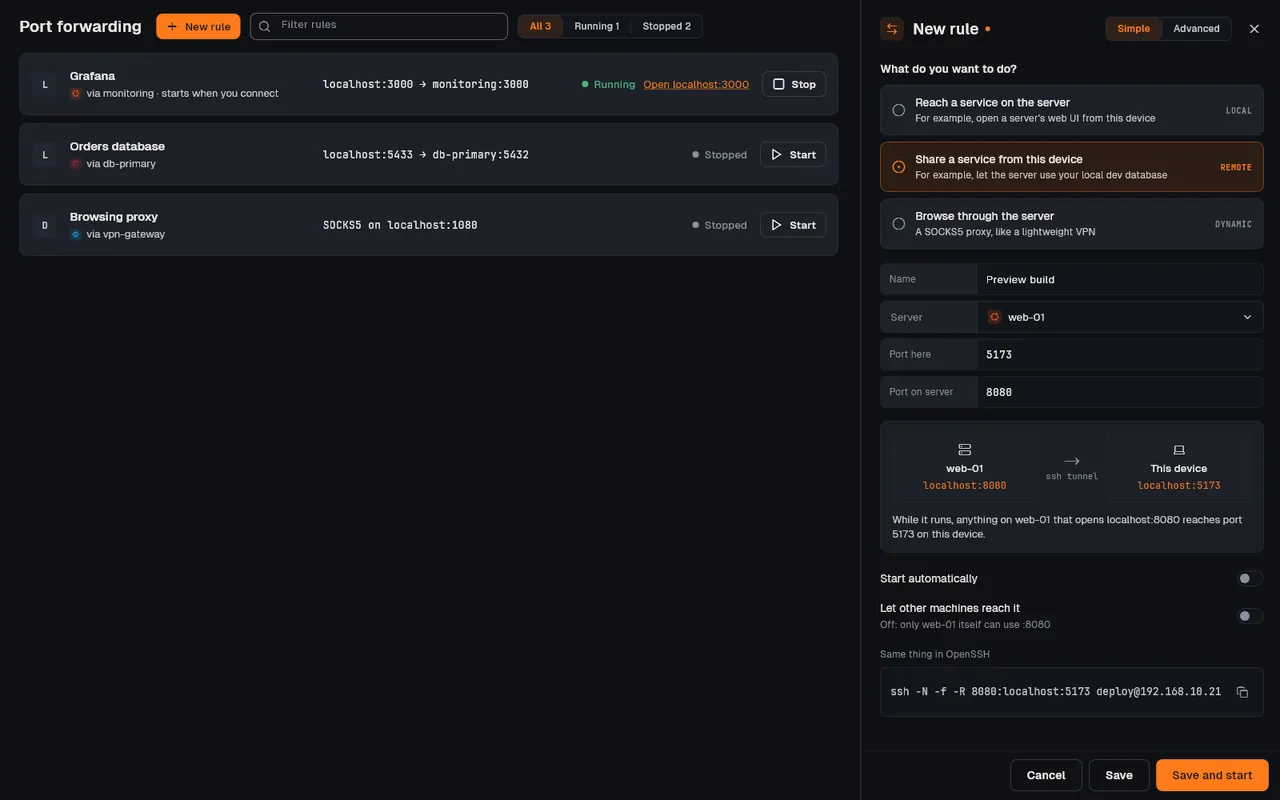
Under What do you want to do?, pick Reach a service on the server (local), Share a service from this device (remote) or Browse through the server (SOCKS5).
-
Give it a Name, pick the Server that carries it, and fill in Port here and Port on server. The picture below the fields says in words what the forward will do.
-
Turn on Start automatically if it should start whenever you connect to that host.
-
Press Save and start. If no session to that host is open, Connect & start connects first.
-
A running local forward has a link such as
Open localhost:3000that opens it in your browser. Each rule has Start and Stop; right-click it for Run on network…, Enable auto-start, Duplicate and Delete.
Simple mode always reaches localhost on the server. To reach another machine on the server’s network (for example 192.168.20.20:8006), switch to Advanced and set the destination host.
On a phone or tablet
Section titled “On a phone or tablet”-
Connect to the host, then tap Port forward (two arrows) in the session toolbar.
-
Tap Add. Pick a preset (Web, Database or SOCKS) or choose Local, Remote or SOCKS5 and fill in the ports.
-
Tap Add, then the play button to start it. Turn on Auto-activate on connect to start it with every connection.
-
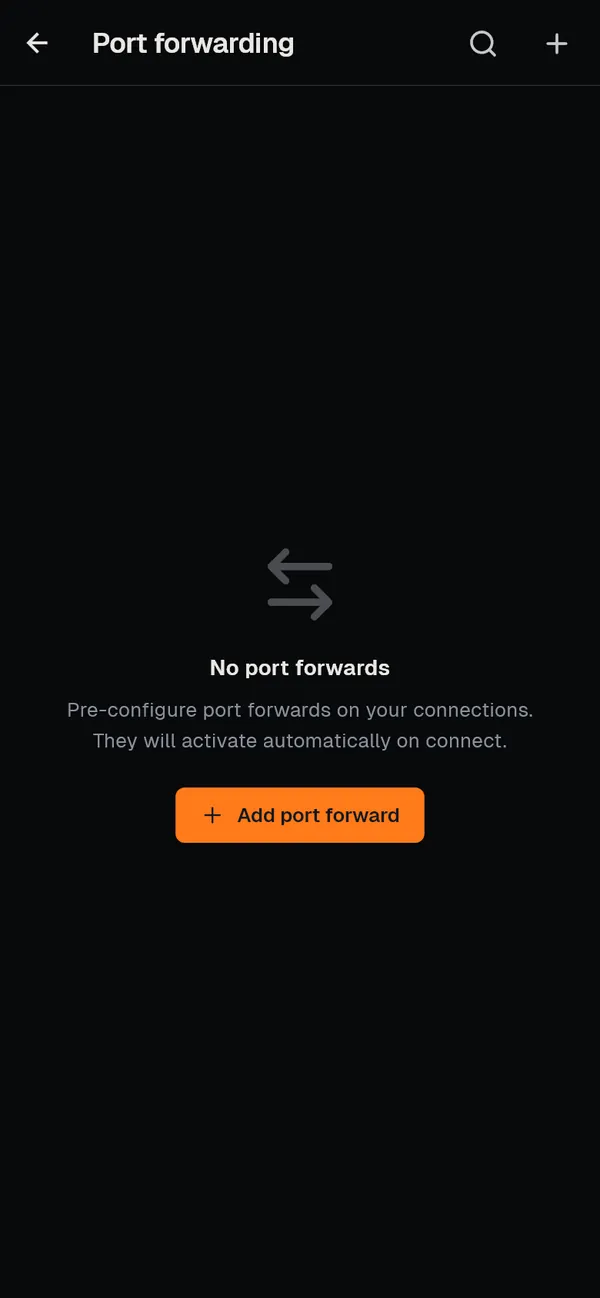
More, then Port forwarding, lists every saved forward, grouped by host, with Add port forward.
How it works
Section titled “How it works”- Local (
-L). ZestSSH listens on your device at the port you chose. Each connection to it opens adirect-tcpipchannel inside the SSH session to the destination host and port, as seen from the server.localhostas the destination means the server itself. See Local forwards. - Remote (
-R). ZestSSH asks the server (tcpip-forward) to listen on its port and sends each connection back through the session to the port on your device. Machines other than the server reach it only if itssshd_configsetsGatewayPorts. See Remote forwards. - Dynamic (
-D). A SOCKS5 proxy on your device; each request names its own destination, which the server connects to. See SOCKS5 proxy. - Who can use it. A forward listens on
127.0.0.1unless you turn on Let other machines reach it, which listens on every address (0.0.0.0) and asks you first. - Lifetime. A forward lives inside its SSH session and stops when the session ends or the app quits. There is no background service; for a tunnel that must always be up, run
ssh -N -Lorautosshunder your system’s service manager. On iOS, forwards stop while the app is in the background. - Run on network… limits a rule’s automatic start to one of your networks. Forward rules are saved with your hosts and synced end to end encrypted. Under Same thing in OpenSSH is the matching
sshcommand. See Port forwarding.
If something goes wrong
Section titled “If something goes wrong”- The forward does not start. A notice in the bell says why: the port on this device is already in use (pick a high one such as
8080), the device does not allow that port, or the host refused. Copy details copies a report. - “connections are not getting through”. The forward runs, but the server does not pass connections on (
AllowTcpForwardingis off for this account) or cannot reach the destination. Check the destination address as the server sees it. - Source and destination swapped. For a local forward, Port here is your side and Port on server is the service’s port.
- It stopped on its own. The session ended. Reconnect, or turn on Start automatically so it comes back with the next connection.